Build it
Time to build, on a real project. Everything here is the actual build, with the real screens and the things that tripped us up.
Order matters. Each step depends on the one before it, and building out of order is where wiring gets half-connected:
| # | Step | Why here |
|---|---|---|
| 1 | Shared tools and variables | Every flow calls them; a node can't reference what doesn't exist |
| 2 | The session-start lookup | Everything downstream reads the employee record it writes |
| 3 | The entry flow | The front door that routes into the rest |
| 4 | The letter flow | The worked example — build this one carefully and the next is faster |
| 5 | The booking flow | The same skeleton, with a real availability gate |
| 6 | The policy agent | Needs the knowledge base populated first |
| 7 | Test, then publish | Publishing locks the project pending approval |
For the mechanics of a node's fields, see the Agent node. These pages are the HR reasoning.
1. Build the shared tools and variables first
Create the workflows every flow calls: getEmployeeDetails, accessCheck, the validate… workflows (year, DOB, appointment date, phone, state, city), and the action workflows generateLetter, checkAvailability, bookAppointment, and notify.
While you're building a template, each of these is a dummy-safe workflow that returns realistic sample data, never a live apiCall. That lets the whole assistant run and be tested end to end today, and you swap in the real system on adoption without touching a single agent.
Create the shared variables in the same pass, all global so every journey can read them:
| Variable | Holds |
|---|---|
employee | the record: id, region, entitlements, eligibility flags |
identityVerified | whether a flow has proved identity this session |
selectedService | which journey the entry routed to |
A goal or a condition can only read a variable that already exists with the right name and type, so declaring them first saves a round of silent failures. Anything only one flow needs — a letter year, an appointment date — stays journey-scoped.
2. Load the employee at session start
Wire getEmployeeDetails as an On session start hook, with Store output in → employee.
This is the highest-leverage piece of wiring in the assistant. Every journey needs to know who's asking; doing it here means it happens once per conversation instead of once per journey, and no agent has to carry the identity tool.
Have the workflow return a status alongside the record. The hook runs before the first reply, so a failed lookup is otherwise silent — and an agent that only sees an empty variable cannot tell an outage from an unknown employee. Every gate node in the flows below depends on being able to tell those apart.
3–6. The flows
Each has its own page: the canvas, the Start trigger, every node's goal, instructions, tools, exits and variables, and the unhappy paths.
- The entry flow — gate, then fan out
- The letter request flow — the worked example
- The booking flow — validation and a real availability gate
- The policy agent — the one journey that's a single agent
7. Test as you go
After each flow, open the Playground and run the path that should break, not the happy one.
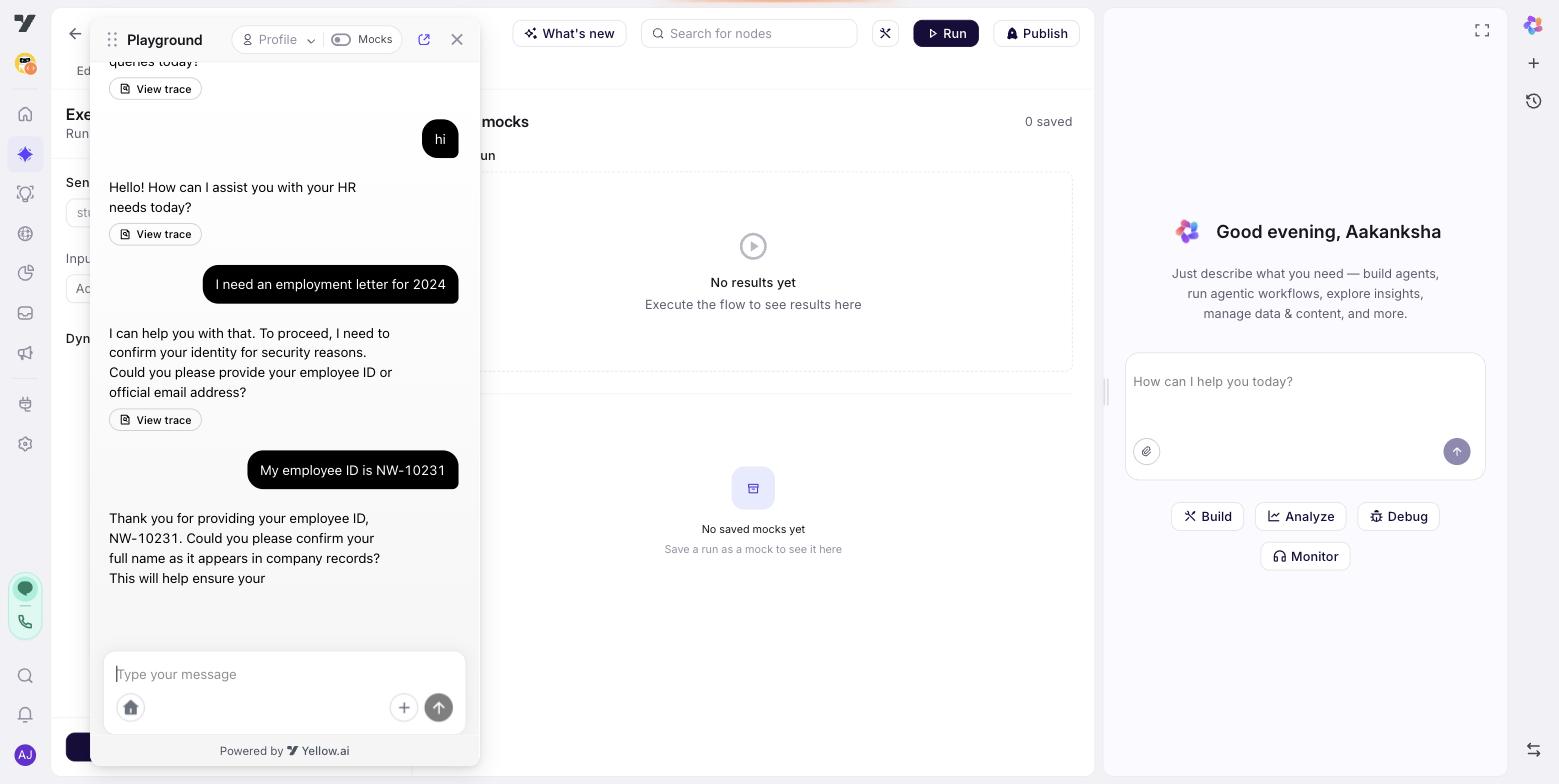
Drive the unhappy paths on purpose: a self-only employee naming a colleague, an invalid date, an availability check that fails, a policy the handbook doesn't cover. The full set — and how to keep it as a regression suite — is in Prove it.
8. Publish
Publishing is a governed step, and worth understanding before you click it. Publish to Live sends an approval request, and the project locks from further edits until that request is approved. It also promotes to the configured live channels, and knowledge-base files in the live environment are replaced by the current ones.
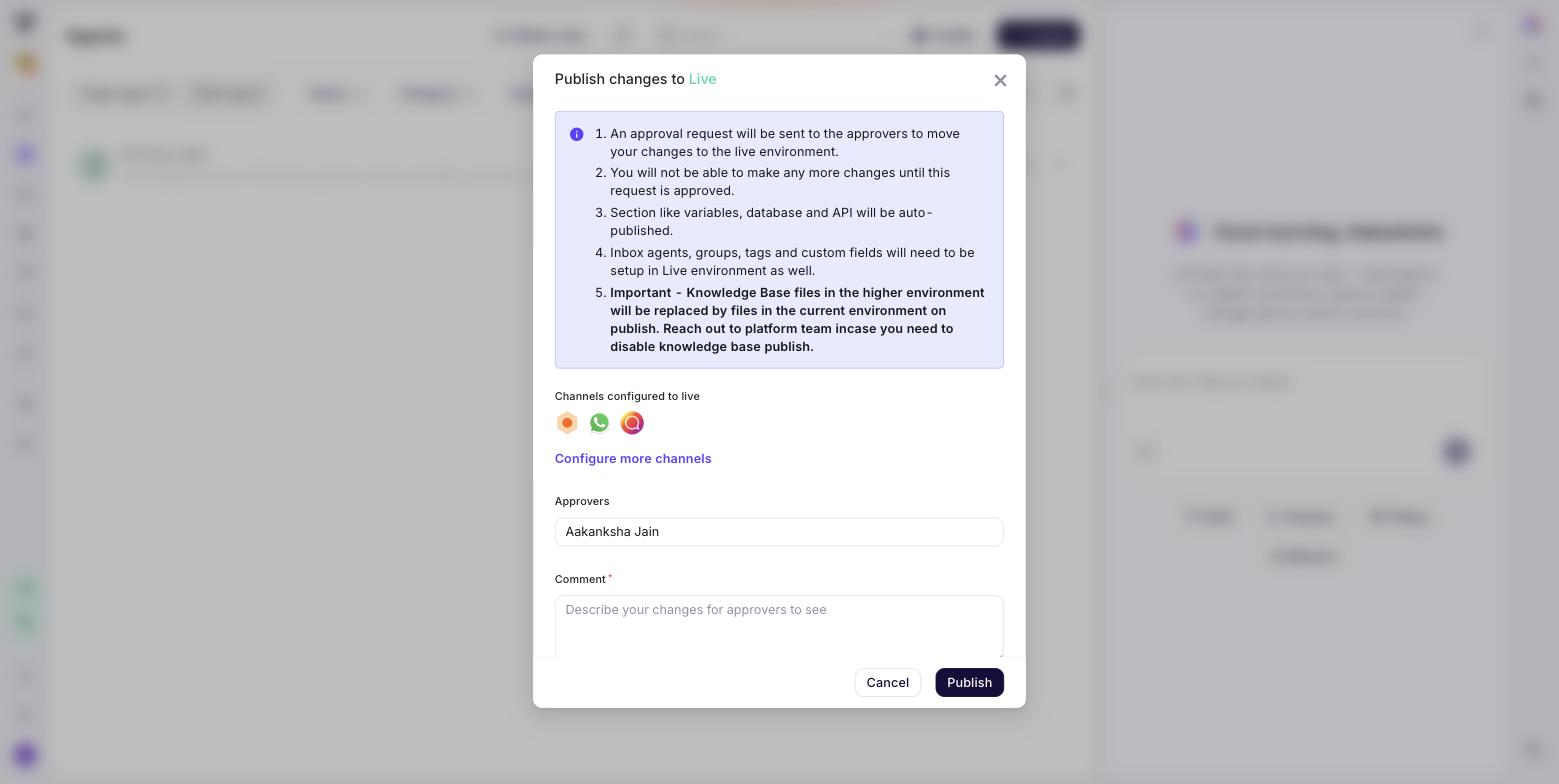
Test in draft first — the Playground runs the draft — and publish only once the paths that break quietly are all green.
Next: The entry flow.