The booking flow
Booking an annual health check-up. It's the same skeleton as the letter flow with one addition that changes everything: a slot has to actually be free before anything is booked, and that's a guarantee a single agent can't make.
It's also the guide's longest collection — five fields, each with its own validator.
@Quick Replies@validateDOB@validateAppointmentDate@validatePhone@validateState@validateCity@bookAppointment@notify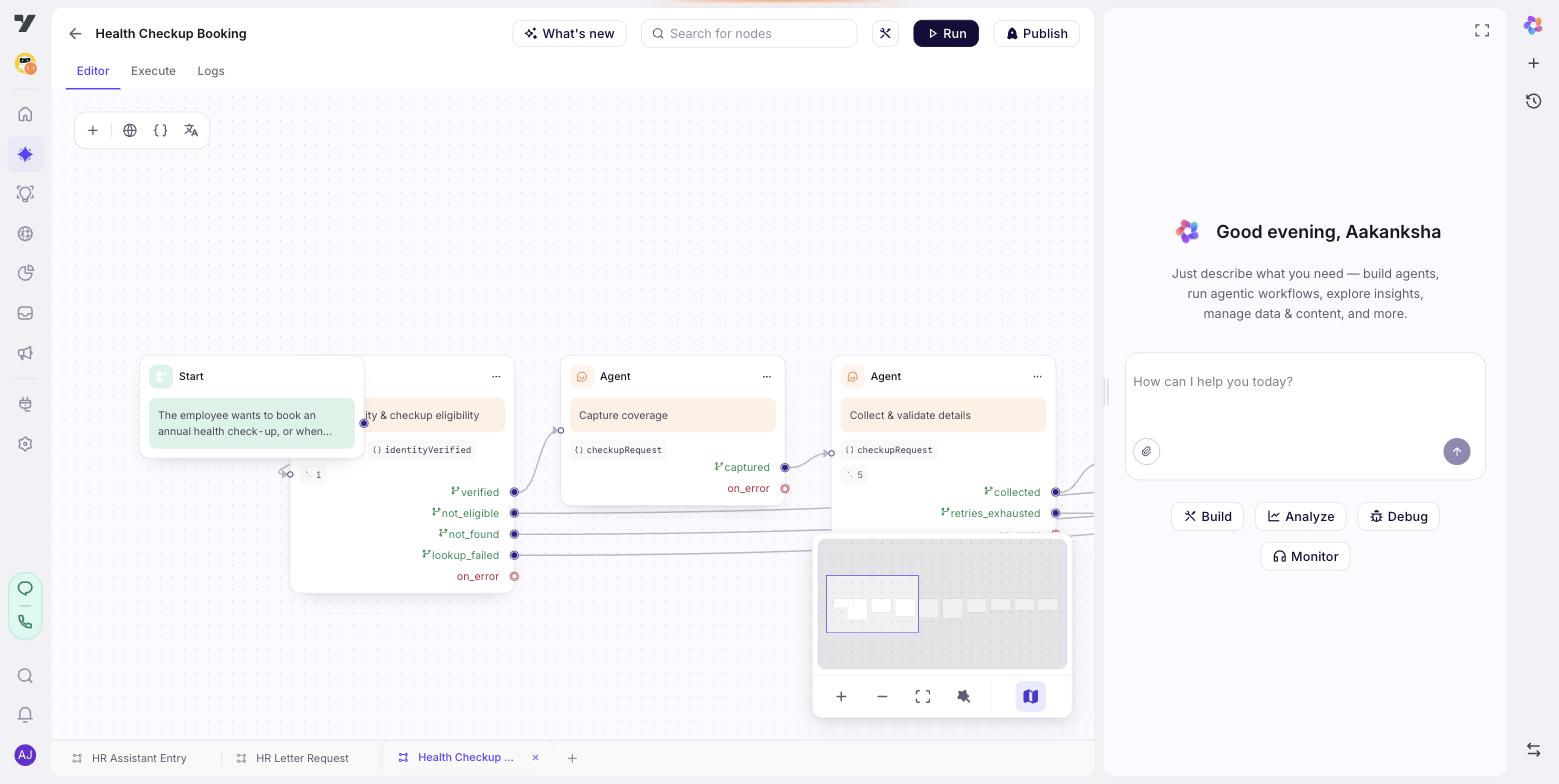
The Start trigger
When the employee wants to book, reschedule or cancel an annual health check-up
or medical — or when selectedService is health_checkup.
Not for insurance or mediclaim policy questions.
The exclusion matters: "what does my mediclaim cover?" is a policy question and belongs to the policy agent, not here.
Node by node
verify — the shared gate
Identical to the letter flow's, with one word changed: it checks eligibility for check-ups rather than letters. Build it once and reuse the shape.
The employee record was loaded when the session started. Read {{employee}}.
- If it is empty, or its status says the lookup failed, say you can't confirm
their details right now and finish on not_identified. Do not assume they are
ineligible.
- If the record's entitlements include health check-ups, finish on eligible.
- If they don't, say plainly that check-ups aren't included on their plan and
finish on not_eligible.
Send no message on the turn you exit on eligible.There's no access check here, and that's deliberate — a check-up is booked for yourself or a dependant you name, never for a colleague, so there's no self-vs-manager question to answer.
coverage — who is it for?
Ask who the check-up is for, offering @Quick Replies with exactly:
Just me, Me and my spouse, My spouse only.

Finish on the matching exit: employee, with_spouse, or spouse_only.
Send no message on the turn you exit.
All three exits go to the same next node — which normally means they should be a variable rather than exits. Here they're both: the exits keep the canvas readable at the point the decision is made, and coverage_type carries the answer forward to the node that needs it.
If you'd rather have one exit and one variable, that's the more orthodox shape and it works identically. The rule it's bending: if every branch goes to the same node, they aren't outcomes, they're a value.
collect-and-validate — five fields, five validators
Collect each field and validate it with its workflow before moving on.
The workflow's result is the source of truth. Never validate a value yourself,
and never write your own error message.

- If coverage includes a spouse: ask their name, then their date of birth, and
validate the DOB with @validateDOB.
- Ask the appointment date and validate with @validateAppointmentDate. If it
needs a year, ask for the year and re-check.
- Ask the phone number, validate with @validatePhone, and store the normalised
number it returns.
- Ask the state, then the city. Validate with @validateState and @validateCity.
A city may have no facility — if so, say that and ask for another.

When every field is valid, finish on ready.
If any one field can't be made valid after three attempts, finish on max_retry.
Send no message on the turn you exit.
Five writable variables is the limit, and this node uses four. That's the honest signal the platform gives you: a node collecting five separate things is usually several nodes. This one survives as a single node because the fields are one coherent form, and splitting it would mean five near-identical nodes with five retry budgets.
"Store the normalised number it returns" is the rule that prevents silent corruption. The workflow already cleaned the value; asking the model to re-format it introduces a second opinion about what's correct.
One retry budget for the whole node. "If any one field can't be made valid after three attempts" — not three attempts per field. Counting several budgets in prose is exactly where nodes start re-asking a fourth time.
check-availability — the gate
An Execute Workflow node. There's nothing to reason about: it takes the city and date, asks the calendar, and returns an answer.
| Input | city, appointment_date, coverage_type |
| Output | slot_available (true/false), and nearest_slots when false |
It has exactly one outgoing handle. An Execute Workflow node does the work; it doesn't decide anything. The branch goes on a Condition node immediately after it, reading the slot_available it just wrote:
| Handle | Fires when |
|---|---|
slot_available is true | a slot matches the request |
| default | anything else |
This pairing is the point of the whole flow. A single agent could claim it checked availability and then book a slot that isn't free. A workflow node that returns a fact, plus a condition that routes on it, cannot. See Nodes.
offer-next-available — the loop
No slot was free for the date they asked for. Say so plainly, then
offer the times in {{nearest_slots}} — only those, never a time you invented.

- When they pick one, save it as the appointment date and finish on chosen.
- If none of them work, or they can't settle after three attempts, finish on
none_suitable.chosen loops back to check-availability, not forward to booking. The alternative they picked still has to be checked — slots go in the time it took to answer, and a loop that skips re-checking is how two people get the same appointment.
"Only those, never a time you invented" matters because the model has no way to know a slot is gone. Offering anything outside nearest_slots produces a confident booking attempt that fails.
confirm-and-book — read it back, then write
State the date, city and who the check-up is for, in one short line.
Ask them to confirm.

- On confirmation, call @bookAppointment, then confirm with @notify and finish
on booked.
- If they want a change, finish on booked only after re-collecting — otherwise
send them back rather than editing values yourself.
- If @bookAppointment fails, apologise once, say you'll raise it with HR, and
finish on booking_failed. Never say it's booked when it isn't.
Confirmation happens before the write, not after. This is an Agent node rather than a workflow node purely because of that read-back — it's the last moment a mistake is cheap to fix.
Variables this flow uses
| Variable | Scope | Written by | Read by |
|---|---|---|---|
employee | global | the session-start hook | verify |
coverage_type | journey | coverage | check-availability, confirm-and-book |
spouse_dob | journey | collect-and-validate | check-availability |
appointment_date | journey | collect-and-validate, offer-next-available | check-availability, confirm-and-book |
phone | journey | collect-and-validate | @notify |
city | journey | collect-and-validate | check-availability, confirm-and-book |
slot_available | journey | check-availability | the Condition node |
nearest_slots | journey | check-availability | offer-next-available |
Everything except employee is journey-scoped — nothing outside this flow reads an appointment date. Note appointment_date has two writers, which is fine here because the second one deliberately overwrites the first: that's what the loop is for.
The unhappy paths
| What happens | Where it goes | Why |
|---|---|---|
| Check-ups not on their plan | not_eligible → polite end | A business answer |
| Session-start lookup failed | not_identified → HR | Not a denial |
| A field can't be validated three times | max_retry → HR | Wired somewhere different, never back into the same node |
| City has no facility | re-ask inside the node | The validator returns the reason; not an exit |
| No slot on their date | Condition default → alternatives → loop | A business outcome with a real path, not a dead end |
| Availability lookup fails | the workflow's error path → HR | An outage, not "no slots" |
| Booking write fails | booking_failed → HR | Never claim success |
| The run crashes | on_error → HR | Already there, needs wiring |
The fifth and sixth rows are the pair that matters. "No slot" and "we couldn't check" are different, and collapsing them tells someone their date is unavailable when the calendar was simply down.
Test it
- A date you know is full. The Condition takes
default, alternatives are offered, and picking one re-checks rather than booking straight through. - An invalid date, three times.
max_retryfires — if it doesn't, the instruction reaching it is missing. - A city with no facility. Re-asks with the workflow's reason, doesn't invent one.
@bookAppointmentfailing. Apologises and hands over; never confirms.- Spouse coverage. DOB is asked for and validated; skipped entirely on "just me".
Next: The policy agent.