Configuration
Configuration is project-level. Everything here applies to all your agents - each single agent and each multi agent inherits it. One change shapes every conversation, which makes this the highest-leverage surface in Harness.
Find it at AI agents → Configuration. The left menu groups the sections into General, Agents and Others.
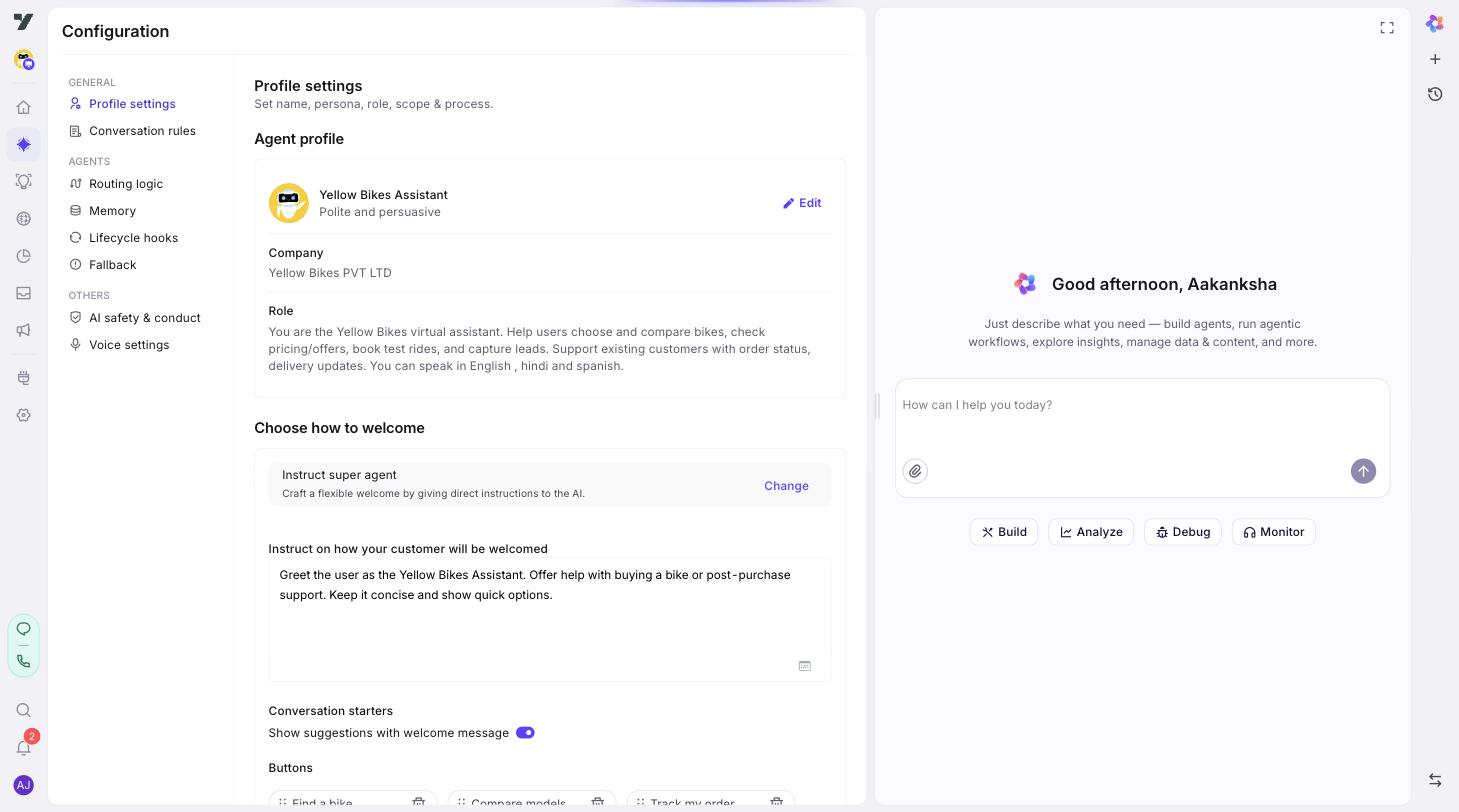
The sections
In menu order, which is also a sensible order to fill them out in:
| Group | Section | What it controls |
|---|---|---|
| General | Profile settings | Identity, tone, and how conversations open - who your assistant is and how it greets people. |
| Conversation rules | Shared always do / never do guidelines every reply follows. Up to 50. | |
| Agents | Routing logic | Optional rules that refine how each message reaches an agent or a tool. |
| Global tools | Tools attached to every applicable agent at once, rather than one at a time. Up to 30. | |
| Memory | Variables every agent shares across conversations - customer_id, account_tier, and similar. | |
| Lifecycle hooks | Optional behaviour around a turn - on session start, on user message, on session complete, on user inactivity. | |
| Fallback | What happens when a request can't be handled, plus retries when input fails validation. | |
| Others | AI safety & conduct | Content-safety filters on what comes in and what goes out. |
| Translations | The same editor as Automation → Localization - one surface, shown in two places. |
AI safety & conduct appears only if it's enabled for your account.
Voice settings is project-level too, but it isn't here. It lives under AI agents → Voice and only matters for voice channels. See Voice settings.
Where to start
Profile settings is the section nothing else works well without - start there. Conversation rules, Memory and Fallback are each worth a pass before you ship. Routing logic and Lifecycle hooks are genuinely optional; reach for them when a specific need shows up rather than filling them in by default.
After editing a section, click Save, then open the Playground (the play ▶ icon on any agent) and send a few messages. Each sub-page ends with what to check for that section specifically.
Next: Profile settings - set the tone, write the identity, and choose how conversations open.