Agents
An agent is a specialist you design for one job - an order-status agent that answers "Where's my order?", a billing agent that handles refunds, a booking agent that walks someone through picking a slot.
Every agent inherits your project-level Configuration - identity, conversation rules, routing, memory, fallback and safety are already set. What makes each agent different is the job you give it.
There are two types, and both start from the same Create button on AI agents → Agents. The first thing you do is pick which.
Which type do you need?
- Single agent - one agent, one prompt. It reads the conversation and decides each turn what to ask, which tool to call, and when it's done.
- Multi agent - the same reasoning split across steps you lay out on a canvas, with the routes between them drawn by you.
Both use an LLM. What you're choosing is who owns the path - the model works it out, or you lay it out. Find the job closest to yours:
| The job | Build a… | Why |
|---|---|---|
| Open-ended support or FAQ - answer questions, troubleshoot, diagnose, guide someone to a resolution | Single agent | The path depends on what the customer says, so let the model work it out turn by turn. Give it a knowledge base tool |
| Status lookups - "where's my order?" | Single agent + a workflow tool | Still open-ended, because people ask a hundred different ways - but the answer has to come from a system of record, so attach a workflow that fetches it |
| Booking, KYC, returns - a procedure you want laid out explicitly | Multi agent | You decide the steps and how they connect, so no run invents its own route, and each step is traceable on its own |
| Lead qualification | Either | If the questions should adapt to the answers, single. If sales mandates the exact questions in the exact order, multi |
| Anything too long for one prompt - many steps, validation, branching, rollback | Multi agent | A single prompt starts dropping instructions; nodes keep each one small |
Channel doesn't affect the choice. A single or multi agent can both run a phone call - pick by the job, then turn on voice.
A rule of thumb when the table doesn't settle it: if you'd describe the work as "it depends what they ask", build a single agent. If it's "first this, then this, then this", build a multi agent.
You can mix the two, and often should. A multi agent can contain Agent nodes wherever a step needs open-ended reasoning, while you keep control of the routes between steps. And a single agent can hand off to a multi agent when a conversation reaches a part that needs laying out - as a delegation target via Routing targets, not through the tools picker. You rarely have to pick one type forever.
Start with one, either way. A single agent with clear instructions handles more than people expect, and routing only earns its keep once you have genuinely separable jobs. When to add an agent has the test.
Create it
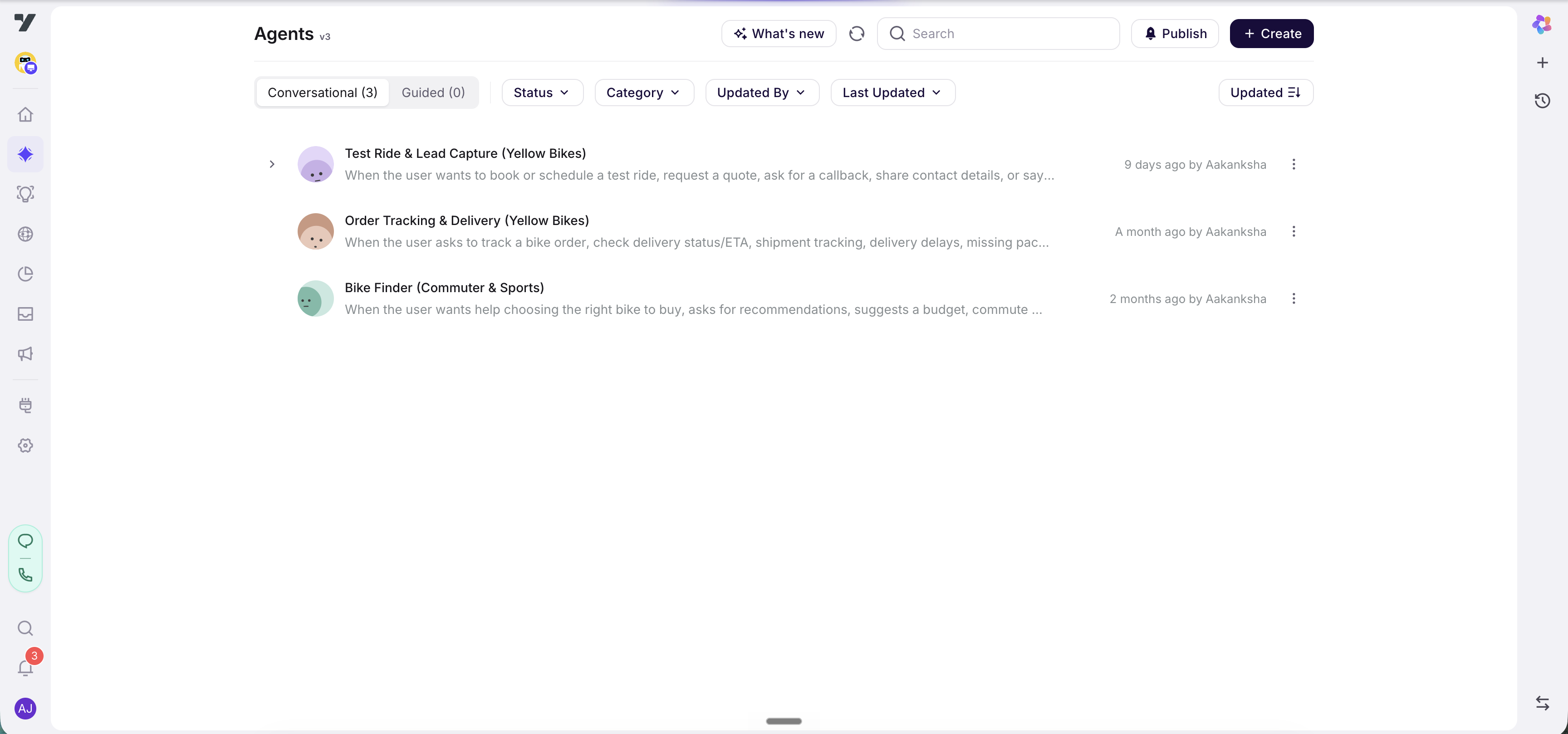
Go to AI agents → Agents. The header carries What's new, Publish and Create, and below it two tabs:
- Single agent (N) - prompt and trigger, a Live/Draft status, a round avatar.
- Multi agent (N) - a flow icon, a Category tag, and no status.
The active tab is saved in the URL, so a link you share reopens on the same one.
Click Create, and the "What would you like to create?" picker offers the two types with a short description of each.
Name it
Give it a clear, task-based name that says what it does - order-status, billing, order-return, kyc-verification. This name is the slug your routing rules and @-mentions will reference, so make it self-explanatory.
- Name the job, not the topic.
order-returnbeatsreturns-stuff;loan-applicationbeatsloans. - Match the casing your other agents use, so the list stays scannable.
- Keep names distinct - each agent needs its own.
Renaming later is possible but not free: routing rules reference agents as plain text and don't follow a rename, so you have to find and update them by hand. Worth getting right now.
What happens next
The two types diverge from here:
- Single agent → you land on its profile, where you write the Trigger and Agent instructions and attach tools. Continue to Single agents.
- Multi agent → you land on the flow canvas, where you add nodes and wire them together. Continue to Multi agents, then the flow canvas.
They're separate entities underneath. A multi agent has no Live/Draft status - a flow has no draft lifecycle - and it shows a generated flow icon rather than an avatar.
Next: Single agents - the trigger, the prompt, and the settings around them.