Nexus AI
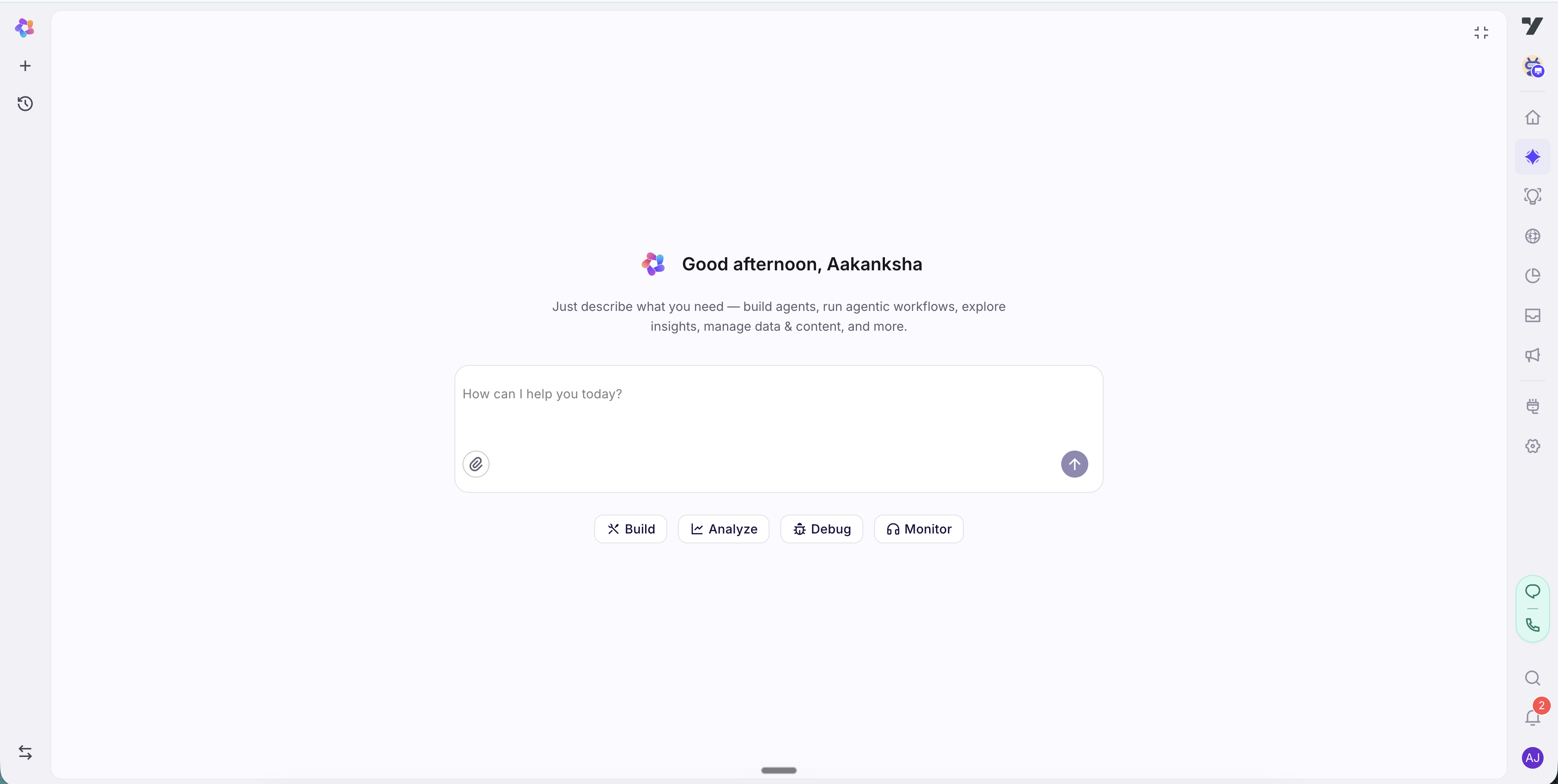
The Nexus AI lets you build and run your bot by asking, not clicking. Instead of hunting through dashboards to find the right setting, you describe what you want in plain language and the AI layer does the work - creating agents, writing prompts, indexing knowledge, generating tests, pulling analytics, and more.
It lives in a panel on the right side of the screen, beside whatever you're working on, and it always acts on the bot you have open. You don't need special syntax - just say what you want.
What you can ask it to do
Here's the kind of thing the AI layer handles, with examples you can paste straight into the panel.
Build and configure your bot
Stand up and edit the moving parts - agents, Configuration, flows, integrations, functions, and tables.
- "Create an agent for order tracking and give it a tool to look up an order by ID."
- "Tighten the persona in Configuration so the bot stays formal and never promises refunds."
- "Add a flow that collects a name and email, then books a demo slot."
- "Connect our shipping provider's API and map the tracking number into the reply."
- "Add a
loyalty_pointstable with columns for user ID and balance."
Manage knowledge
Build and tune the knowledge base your bot answers from.
- "Index our help center at help.example.com."
- "Add an FAQ for our 30-day refund window."
- "Why isn't the bot finding our shipping policy article?"
Test and debug
Check coverage, generate and run test cases, and find out why something failed.
- "How well is my order-tracking agent covered by tests?"
- "Generate test cases for the refund flow, including a few tricky edge cases."
- "Run the regression set and tell me what failed."
- "Why did this test case fail, and what should I change?"
Get analytics and insights
Pull metrics, break down users, analyze conversations, and build reports.
- "What's my containment rate this week versus last week?"
- "Break down active users by channel and region."
- "Summarize the most common reasons users dropped out of the booking flow."
- "Build a dashboard for daily resolved conversations."
Work with customer data and audiences
Explore the people in Fabric - their profiles, the properties describing them, the events they triggered, and the segments your campaigns target.
- "What segments do I have, and how is each one defined?"
- "How big is my VIP segment right now?"
- "How many users would match if I add plan = enterprise?"
- "What user properties are on my customer profiles?"
- "Why isn't this customer in my campaign audience?"
- "Is my audience growing, and how many users opted out last month?"
Customer data here is read-only. The AI layer sizes, inspects, and explains segments; creating or editing one is still done in Fabric > Segments. What-if sizing covers user-property conditions only - event-based cohorts ("users who did X three times last week") have to come from a segment you already saved.
Handle inbox and operations
See and act on the support side - conversations, tickets, and agent performance.
- "How many tickets are open and unassigned right now?"
- "Summarize the longest-waiting conversations in the inbox."
- "How is agent response time trending this month?"
Work with media
Generate and read images, run OCR, and draft messaging templates.
- "Generate a banner image for our summer sale."
- "Extract the text from this uploaded receipt."
- "Draft a WhatsApp template for an order-shipped notification."
Good to know
- It works on the bot you have open. Open a different bot and the AI layer works on that one.
- It confirms before it changes anything. When it's about to create, update, or delete something, it shows you the change and waits for your approval first - nothing happens behind your back.
- You can combine requests. Ask for something that spans a few areas - "find the step with the most drop-offs and add a fallback there" - and it handles the whole thing in one go.
- A customer is not a conversation. Customer data counts people - stored profiles in Fabric. Analytics counts sessions and conversations. The AI layer keeps the two apart and tells you which it means, so don't expect the numbers to match.
- Masked properties stay hidden. If your account masks a user property for privacy, it never reaches the AI layer. It will tell you a property is masked rather than report it as empty.
Getting the best results
- Be specific. "Add a rule so the billing agent never shares another customer's data" beats "make the bot safer."
- Name the target. Say which agent, tool, or table you mean when there's more than one.
- One goal at a time. For a big change, walk it through step by step and review each result.
Nexus Tips throughout the docs
Across these docs you'll see Nexus Tip callouts like the ones on this page. Each shows how to do the task on that page with the AI layer instead of by hand - they're optional shortcuts. When you spot one, copy the suggested prompt into the panel or adapt it to your wording.