v3 Agents
A v3 agent on Nexus is a small team of specialised agents working together, with one super agent in charge — the same orchestrator + sub-agents shape v2 AI Agents had, running on the v3 engine. The v3 engine adds platform-enforced refinements (two-stage routing, automatic step execution, parent-child agent triggers with auto-return, history compaction, structured traces) and new authoring surfaces (Routing Logic, Widget Builder, AI Trust Centre, versioned configuration). See v2 vs v3 at a glance below for the full delta.
The building blocks
Super agent
This is the brain of your bot. Every user message hits the super agent first. It:
- Reads the user's message.
- Decides whether to answer directly or hand off to one of your agents.
- Applies your persona, identity, and rules to shape the reply.
- Calls tools (workflows, knowledge base lookups, escalations) when it needs data or to take an action.
You configure the super agent in AI Agent → Profile.
Agents
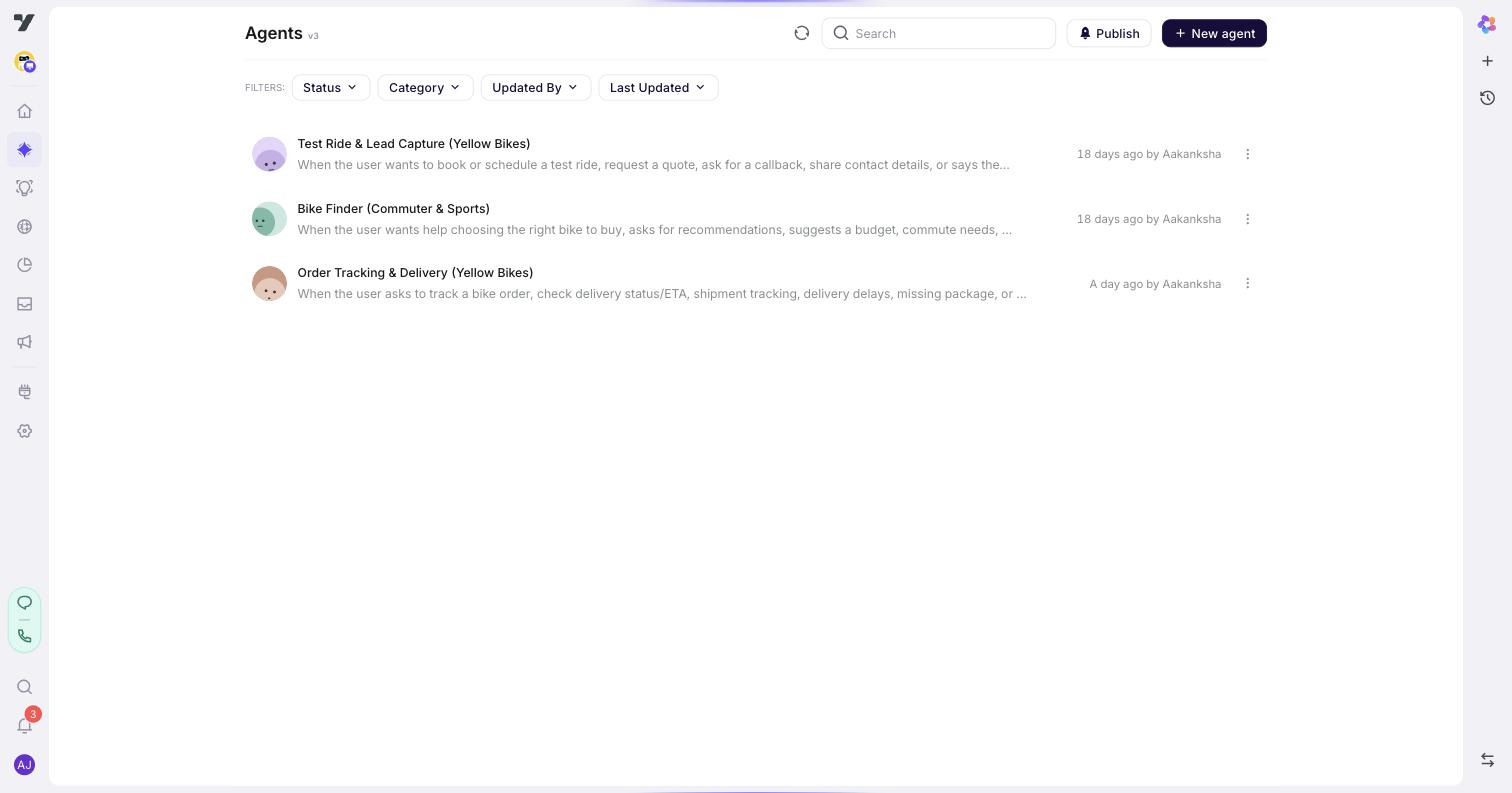
Agents are specialists you design for one job each — an order-status agent that answers "Where's my order?", a demo-booking agent that helps users pick a slot, a billing agent that handles refunds and invoices, a support agent for product questions. Each has its own persona, identity, conversation rules, and tools. Agents can also follow their own rules in addition to the super agent's, though you'll rarely need that on day one.
The super agent decides when to hand off to an agent. It reads each agent's Trigger (the natural-language description at the top of the agent's profile) as the primary routing signal. You can optionally add Routing Logic rules to make specific handoffs deterministic when Triggers alone aren't precise enough. Once an agent takes over, it owns the conversation until control returns to the super agent.
You manage agents in AI Agent → Agents.
Global components
These are reusable pieces — shared prompts, policy text, tone snippets — that you can pull into any agent. Define them once, reuse them everywhere. Update them in one place and every agent using them gets the change.
You manage these in AI Agent → Global Components.
Tools
Tools are the actions an agent can take in the real world: call a workflow, search a knowledge base, escalate to a human, transfer a call. You define them once and any agent in the bot can use them — including the super agent directly. Attach a tool to a specific agent when it belongs to that agent's job; that also helps the super agent route a topic to the right place.
Where to find each surface in the studio
| Want to… | Go to |
|---|---|
| Configure the super agent | AI Agent → Profile |
| Add or edit agents | AI Agent → Agents |
| Manage shared snippets | AI Agent → Global Components |
| Build a custom widget | AI Agent → Widget Builder |
| Test your agent | AI Trust Centre (top-level menu item) |
A typical build flow
If you're starting fresh, work in this order:
- Set up the super agent — persona, identity, welcome, fallback. (guide)
- Add agents for distinct tasks (order status, demo booking, billing). (guide)
- Write Routing Logic rules when you want the super agent to always route a topic to a specific agent. (guide)
- Add tools to whichever agents need them.
- Test interactively in the Playground (▶ on each agent), then regression-test with datasets in the AI Trust Centre. (guide)
- Build widgets if you need custom UI. (guide)
v2 vs v3 at a glance
v3 keeps the orchestrator + super-agent + specialised-agents + tools model you already had on v2 AI Agents. The wins are mechanical refinements within that model, not a new architecture.
What's NOT new
- Super-agent + specialised-agents pattern. v2 had this; v3 doesn't change it.
- LLM-driven routing. v2 routed via an LLM too; v3 changes how it routes, not whether.
- Memory as a shared key-value store across agents. v2 had this.
- Tools and tool-calling (Workflow / Knowledge Base / Escalate). v2 had these.
What's genuinely new in v3
| Area | v3 change | Why it matters |
|---|---|---|
| Routing | Two-stage LLM call — a small Context Expert picks the agent from each agent's Trigger description only, then a Conversation Agent runs that agent's instructions + tools. | Faster routing (smaller Stage 1 model), narrower Stage 2 prompt, fewer wrong-tool calls. |
| Continuity | The platform enforces a fixed continuity rule every turn — keep on the same agent unless the user has clearly switched topics. | Fewer mid-flow drop-offs without writing defensive "stay here" logic. |
| Numbered steps | If your Agent instructions list Step 1: / Step 2: …, the platform auto-injects sequential-execution rules: one step per turn, progress tracked under $$current_steps_progress_info. | Multi-step procedures stay on track without per-flow boilerplate. |
| Parent-child agent triggers | trigger.returnTo: true snapshots the parent's state, runs the child, and auto-restores the parent on goalStatus: "completed". 1 level deep. | Reusable sub-tasks (verify identity, capture payment) callable from any parent without writing return logic. |
| Conversation history | Once history exceeds ~15 messages / ~10K characters, older turns are compressed into <chat-summary-sofar>; the last 2 user turns stay raw. | Long support conversations don't blow context; recent turns stay verbatim. |
| Tool failure | Platform rule: don't retry the same tool. Return the error as the tool result so the LLM phrases a recovery message. | Predictable failure UX; no silent retries. |
| Execution trace | Every turn stores a structured executionTrace — tool calls + results, memory writes, intent classifications, the Context Expert decision. | Testing lab and Copilot Debug share one underlying record. A buggy production conversation becomes a regression test in one click. |
| Routing Logic surface | New sub-page on the super agent (Configuration → Routing logic) where you write optional plain-English rules ("if billing → @billing-agent"). | Deterministic handoff when you want it; routing falls back to each agent's Trigger when you don't. |
| Widget Builder | New top-level surface for designing custom in-conversation UI (forms, pickers, multi-step wizards). | Custom UI without channel-specific code. |
| AI Trust Centre | New top-level menu — Testing lab + Evaluators & Rules (Quality / Safety scoring with thresholds). | Durable regression coverage and automated scoring. |
| Versioned configuration | Every super-agent config change is versioned with history. | Roll back; review behaviour shifts over time. |
@-mentions in prompts | Type @ in any prompt field to insert a live reference to an agent, workflow, tool, or rich-media item. Chips stay linked through renames. | Prompts don't go stale when you rename a target. |
| Welcome / Fallback options | Welcome supports Instruct, Send message, or any welcome workflow you've defined (each workflow shows up as its own option). Fallback supports Instruct + a retry count for validation failures. | Cleaner UX; workflows attach as options instead of via a generic "Trigger a flow" item. |
Migration — when to switch
| Migrate when | Stay on v2 when |
|---|---|
| You're starting fresh and want the platform-enforced step-execution + continuity behaviour. | You have hundreds of working v2 flows — v3 is not a lift-and-shift. |
| You want sharper routing on a bot with many agents (Context Expert is built for this). | Your authoring team's muscle memory is in v2 utterance training and it's working. |
| You want Widget Builder, AI Trust Centre, versioned config, or parent-child agent triggers with auto-return. | You have a very tight voice latency budget — two LLM calls per turn means higher first-token latency than v2's single call. |
| You can flatten any multi-level nested sub-flows (v3 parent-child return is 1 level deep). | Your design needs deeply nested sub-flows that pop multiple levels. |
To move a v2 workspace to v3, open AI Agents → Switch to v3. It applies to the whole workspace, not per agent — see Nexus overview for details.
Best practices
- Start small. One super agent with no extra agents is a perfectly good starting point. Add agents only when you have clearly separable tasks.
- Name agents by the task they own.
order-status-agent,demo-booking-agent,billing-agentbeatagent2. Sharp names lead to sharp routing. - Don't build a "general" agent. A general-purpose agent is a sign your super agent isn't doing its job. Keep each agent focused on one task.
- Write rules in plain English, then test. It's easier to refine wording after seeing how the super agent interprets it than to engineer a perfect rule upfront.
- Use Global Components for anything you copy more than once. Policy text, brand voice instructions, common disclaimers — define once, reuse.
- Test before every release. Even small wording changes to identity or rules can shift behavior. Regression-test with a saved dataset before you ship.
Continue to: Configure your Super Agent.