Ingest content using the Knowledge base node
What shipped
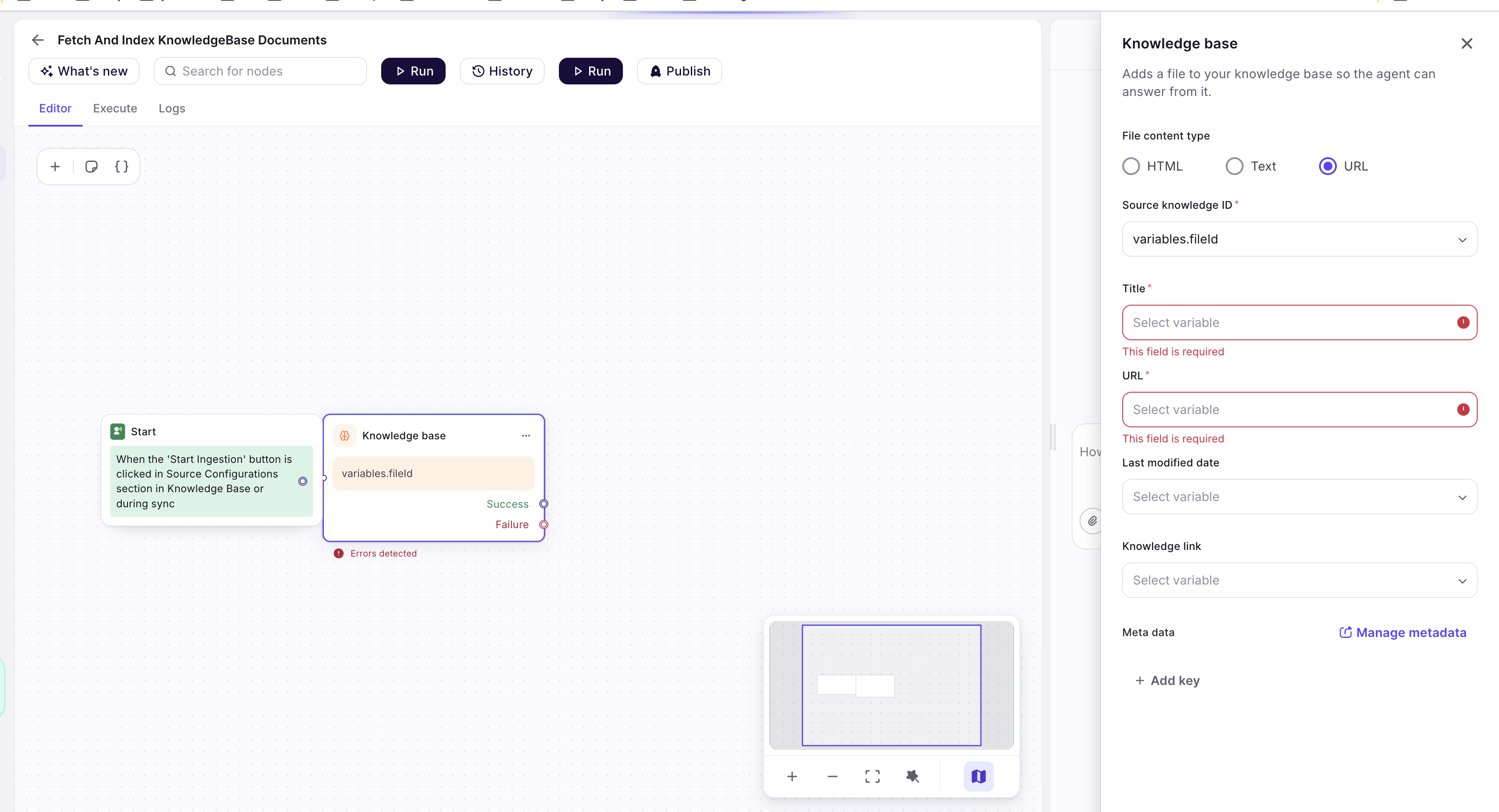
The Knowledge base node in KB sync workflows now supports a third File content type — URL — alongside HTML and Text. Instead of passing the document body through a variable, you point the node at a link: the platform downloads the target and indexes it in your Knowledge base. This works for plain webpages as well as downloadable documents (PDF, Word, Excel, PowerPoint, text, Markdown, CSV, VTT) — including download links that don't end in a file extension, where the file type is detected from the response itself.
Who it's for
Admins and developers who build custom connector workflows to sync content into the Knowledge base from sources the built-in imports don't cover — for example, an internal CMS whose API returns article links, or a product catalog of specification PDFs.
How to use
- Open your KB sync workflow in Studio and add (or select) the Knowledge base node.
- Under File content type, select URL.
- In the URL field that replaces Content, select the variable that holds the link to index. The link must be reachable over http(s) and no larger than 100 MB.
- Fill in the remaining fields as usual:
- Source knowledge ID — the unique ID of the document in your source system.
- Title — the document title shown in the Knowledge base.
- Last modified date (optional) — ISO timestamp used for change detection.
- Knowledge link (optional) — the citation link shown to end users. When left empty, the ingested URL itself is used.
- Meta data (optional) — key-value tags for metadata filtering.
- Run the workflow. Each execution downloads the URL and indexes it:
- A webpage (including pages without a file extension, such as
https://example.com/docs/pricing) is indexed as HTML. - A document link (for example
https://example.com/files/spec.pdf, or an extension-less download endpoint that serves a PDF) is downloaded and indexed as that document type.
- A webpage (including pages without a file extension, such as
The HTML and Text content types are unchanged: they still take the document body from the Content variable, which must be at least 100 characters long.
If the link points to a content type the Knowledge base cannot index (for example an image or a video), the ingestion for that document fails with a clear error, and the rest of the sync continues.
Screenshots